Pop Evil VR1.0.3
Publisher Description
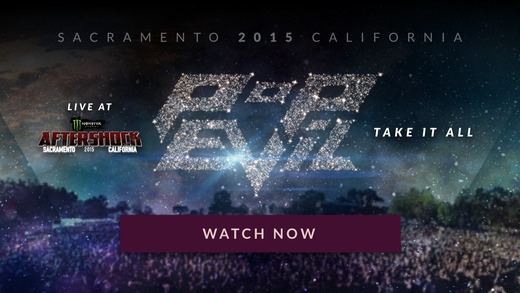
Take part in the ultimate concert event with Pop Evil VR, a fully immersive, 3D / 360 virtual reality experience. Take the stage with the band and watch them rock the crowd with their hit song Take It All. Get unprecedented access to Pop Evil, and be there like you ve never been there before.
For more information, visit:
http://popevil.floodlight.media
This experience can be viewed with a Google Cardboard viewer or in Magic Window mode.
For best experience, use headphones.
Supported Devices: iPhone 5s+ with iOS 8.0+
Smooth playback not guaranteed on other devices.
Requires iOS 8.0 or later. Compatible with iPhone 5s, iPhone 6, iPhone 6 Plus, iPhone 6s, iPhone 6s Plus, iPhone SE, iPhone 7, iPhone 7 Plus, iPad Air, iPad Air Wi-Fi + Cellular, iPad mini 2, iPad mini 2 Wi-Fi + Cellular, iPad Air 2, iPad Air 2 Wi-Fi + Cellular, iPad mini 3, iPad mini 3 Wi-Fi + Cellular, iPad mini 4, iPad mini 4 Wi-Fi + Cellular, 12.9-inch iPad Pro, 12.9-inch iPad Pro Wi-Fi + Cellular, 9.7-inch iPad Pro, 9.7-inch iPad Pro Wi-Fi + Cellular, and iPod touch (6th generation).
About Pop Evil VR
The company that develops Pop Evil VR is Secret Location, Inc. The latest version released by its developer is 1.0.3.
To install Pop Evil VR on your iOS device, just click the green Continue To App button above to start the installation process. The app is listed on our website since 2016-05-25 and was downloaded 2 times. We have already checked if the download link is safe, however for your own protection we recommend that you scan the downloaded app with your antivirus. Your antivirus may detect the Pop Evil VR as malware if the download link is broken.
How to install Pop Evil VR on your iOS device:
- Click on the Continue To App button on our website. This will redirect you to the App Store.
- Once the Pop Evil VR is shown in the iTunes listing of your iOS device, you can start its download and installation. Tap on the GET button to the right of the app to start downloading it.
- If you are not logged-in the iOS appstore app, you'll be prompted for your your Apple ID and/or password.
- After Pop Evil VR is downloaded, you'll see an INSTALL button to the right. Tap on it to start the actual installation of the iOS app.
- Once installation is finished you can tap on the OPEN button to start it. Its icon will also be added to your device home screen.
